Models & Kits
Designing levels using models and kit pieces is an effective way to improve the appearance of your map.
A kit is a collection of modular models that share a common theme. By replacing the brushes in your blockout with kit pieces and models, you can achieve a consistent aesthetic while saving time on creating individual models from scratch.
It's important to be mindful of the dimensions of your map when adding these elements, as changing them too much can negatively impact the gameplay.
Level Scale Standards
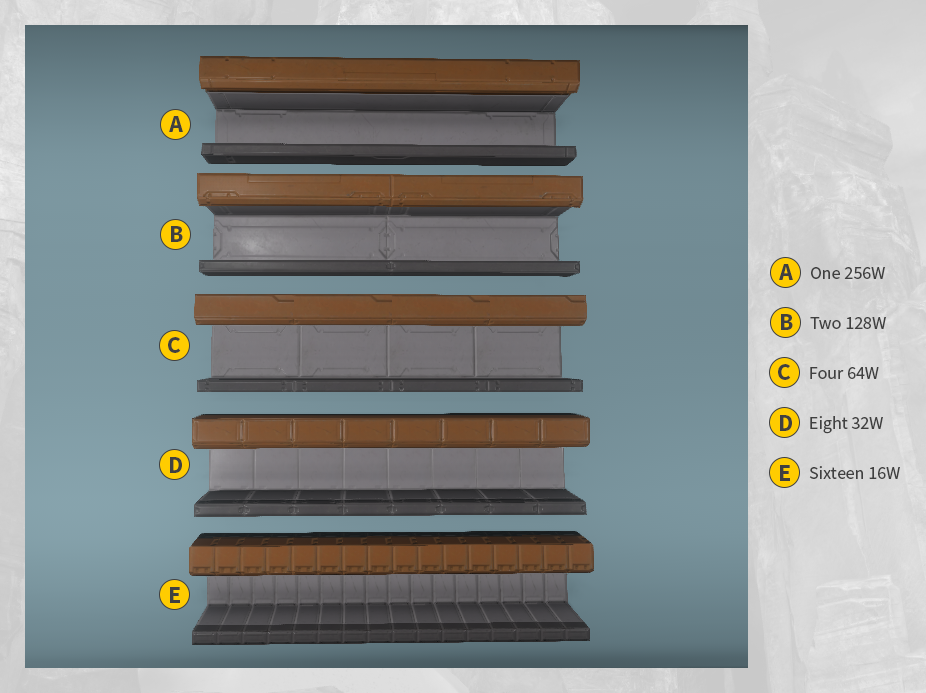
The level scale standards for kits guarantee that the components can be effortlessly combined and interchanged between different kits, resulting in a more flexible map design. This approach ensures that your map's various elements are seamlessly integrated with each other, elevating the overall quality of your creation.
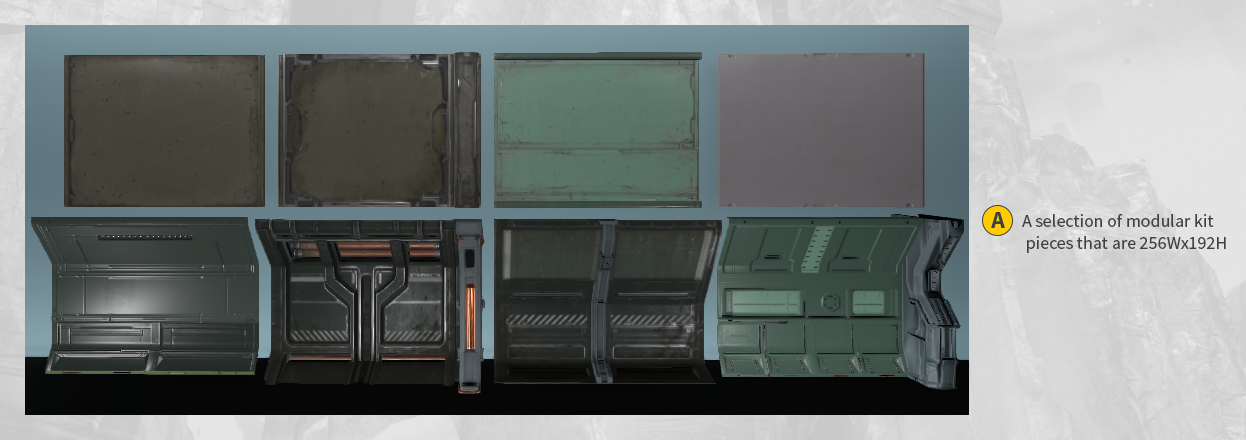
Since the level scale standards are based on powers of two, the kit pieces should fit together easily.
Adding Models and Kit Pieces to a Map
-
Begin with a map open in World Editor.
- (Go to Open → [SELECT A MAP] or Create a Simple Box Map).
-
In Asset Browser, find the models file: Asset Browser → model files.
-
_Example_: `model files/art/kit/hell/swamp/tree_helltree_a.lwo`
-
-
Drag the model into the World Editor and place it in your map.
-
Select the model to bring up the movement widget.
-
Resize and move the model as needed for your map.