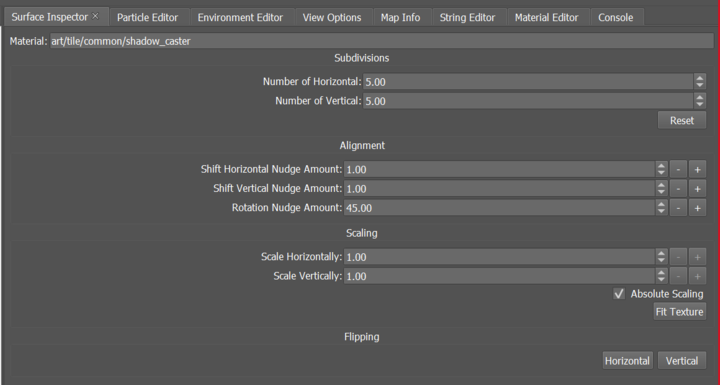
Surface Inspector
The Surface Inspector is used specifically to modify/manipulate the materials on a brush surface.
Interface
The Surface Inspector provides a selection of options for adjusting the material repetitions (subdivisions), alignment, and scale. Choose the brush face where you wish to modify the materials (you have the option to select several brush faces simultaneously), then utilize the parameters available in the Surface Inspector to implement your changes.
Use the Subdivision variables to manipulate the material pattern repeat, in both horizontal and vertical directions.
Use the Alignment variables to manipulate the placement of the material on the brush. You can move the material horizontally, vertically, or rotate it.
Use the Scaling variables to alter the size of the material pattern placed on the brush.