Teleporters
Teleporters are used in-game to allow players to quickly move from one location to another. They can be placed at strategic points throughout a map, and when a player enters the teleporter, they are instantly transported to a new location within the map.
Teleporters can be used to create shortcuts or secret areas that players can discover. They can also be used to create puzzles or challenges where the player must use the teleporter to reach a specific location or avoid obstacles. They can instantly add an additional complexity to the map and make the gameplay more interesting.
Add a Teleporter to a Map
-
In your map, in World Editor, right-click to open the context menu.
-
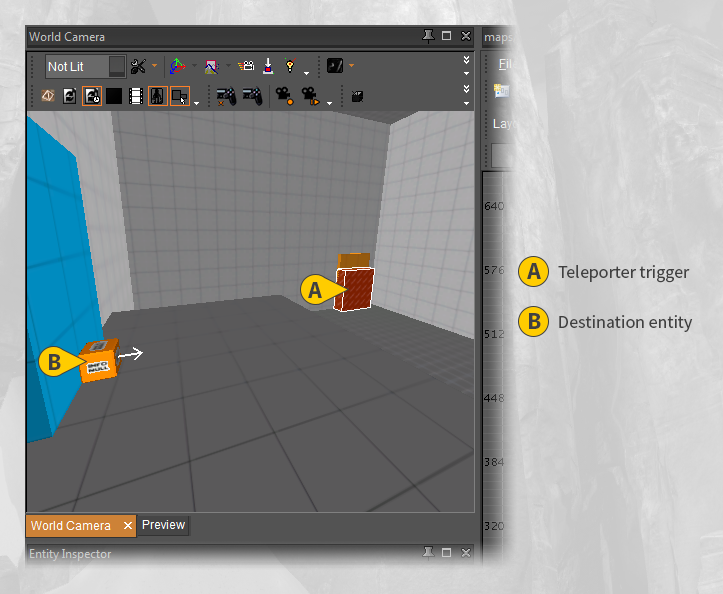
Select New entity → Trigger → Teleporter to add the teleporter entity to your map.
-
Click+drag to place the entity at the entry of your portal.
- For more information, see: Entities
-
Deselect the teleporter entity, and add a teleporter destination entity by going to: Right-click (to open the context menu) → New entity → Info → Teleport Destination.
-
Click+drag to place the teleport destination entity at the exit of your portal.
-
Deselect the teleport destination entity.
-
Select the teleporter entity and open Entity Inspector.
-
Change the Destination property to the teleporter destination entity.
infoThe player will now be teleported to the destination when the teleporter is triggered and oriented to face the same direction as the destination entity.
-
Change the look of the teleporter entry and exit by editing the Teleport FX property in Entity Inspector.
Teleporters only go one direction. You will need to repeat Steps 1 - 8 (swapping entry and exit) to create a two-way teleporter.
Player Exit Speed
The player can either exit the teleporter at the same speed that they entered, or the teleporter can be used as a speed boost by setting the exit speed in the teleporter properties in Entity Inspector.
Conserve Player Speed
When checked, the player will keep the same speed as entering the teleporter. This makes running straight through a teleporter to feel smooth, as if the player was running normally the entire time.
When unchecked, the player's speed will be set to Exit speed upon exit.
Exit Speed
The player's speed will be set to this when a player exits a teleporter, but only if Conserve Player Speed is not selected.
Using a high value here adds a speed boost as players leave the teleporter.