Environment Editor Reference
The Environment Editor provides users with the ability to generate or modify an environment decl (Env decl), which can be assigned to an Environment Area within a map. The environment decl subsequently modifies specific rendering parameters within that Environment Area during runtime. An environment decl could outlines settings for various environment-related parameters, such as Color Correction, HDR, Lens Effects, Sun and Sky, Water, among others.
The Environment Editor enables you to modify attributes such as the brightness and intensity of light/sun, the positioning of the sun sprite, as well as elements like fog, rain, lighting, wind, and more.
The Environment Editor can be opened from Windows → Editors → Environment Editor
Creating a new Env decl
Every map has a default Env decl defined in the worldspawn. This decl defines the map’s environment settings. A map may also have one or more Environment Areas that have different environment settings defined by Env decls. There are a number of existing Env decls available in Asset Browser, or you can create an entirely new Env decl.
To create a new Env decl, go to File → New Env.
You must provide a Name for the new decl. Parent, from which your decl will inherit, will load as default, but can be changed.
Opening an existing Env decl
- Open a map in World Editor.
- With a map open, go to Windows → Editors → Environment Editor to open the Environment Editor.
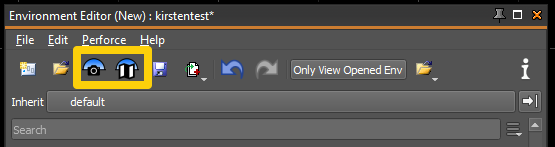
- The Load Map Default Env button will open the Environment Decl defined in worldspawn's Env Settings. The Load Camera Env button will open the Environment decl defined for the current World Camera location.
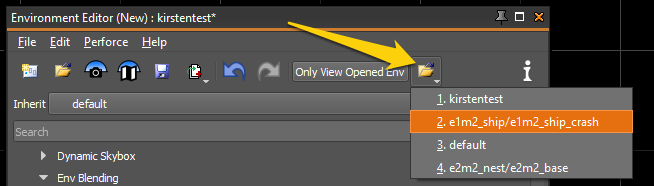
- Go to File → Recent (or use the toolbar button) to open a recently-edited Environment decl.
Editing an Env decl
- With a map open, open the Environment Editor. Windows → Editors → Environment Editor
The default Env decl for the map will open. See steps above to open a different Env decl.
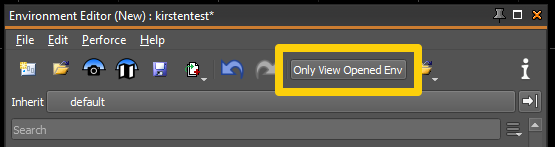
- Editing a decl in the Environment Editor will also update the decl in the World Camera. When Only View Opened Env is selected, the decl that is currently being edited will be rendered in the World Camera no matter what the current camera position.
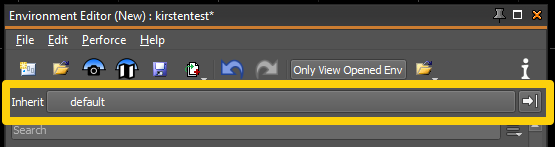
- Change the Parent Decl from the box labeled Inherit on the toolbar.
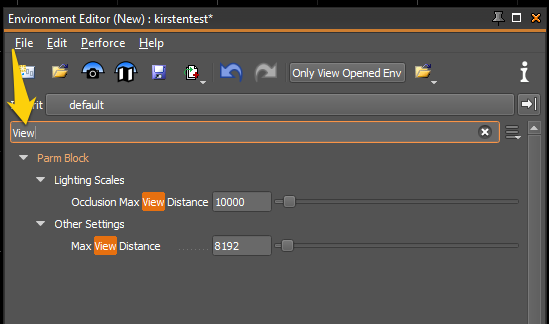
- Use the Search bar to filter the contents of the Environment decl.
- Use Undo and Redo as needed to compare settings in the World Camera.