Selecting Entities
Selecting entities, while simple in nature, is an important part of the level-editing process. The ability to quickly and easily select the entities that you want to work with enhances productivity and speeds up the design process.
There are several different ways to select entities, or groups of entities. Each of these is detailed below.
Simple Selection
| Command | Key/Action | Description |
|---|---|---|
| Select | Shift+Left-click | Select an entity. |
| Deselect All | Esc | Deselect the currently selected entity. |
| Delete | Backspace | Delete the currently selected entity. |
| Clone Selection | Spacebar | Clone (duplicate) the currently selected entity. |
Group Selection
| Command | Key/Action | Description |
|---|---|---|
| Group Select | Hold Shift+Left-click | Selects all entities that are clicked on. |
| Marquee Select | Alt+Left-click+Drag | Selects everything within the dragged box. |
| Marquee Deselect | Alt+Ctrl+Left-click+Drag | Deselects everything within the dragged box. |
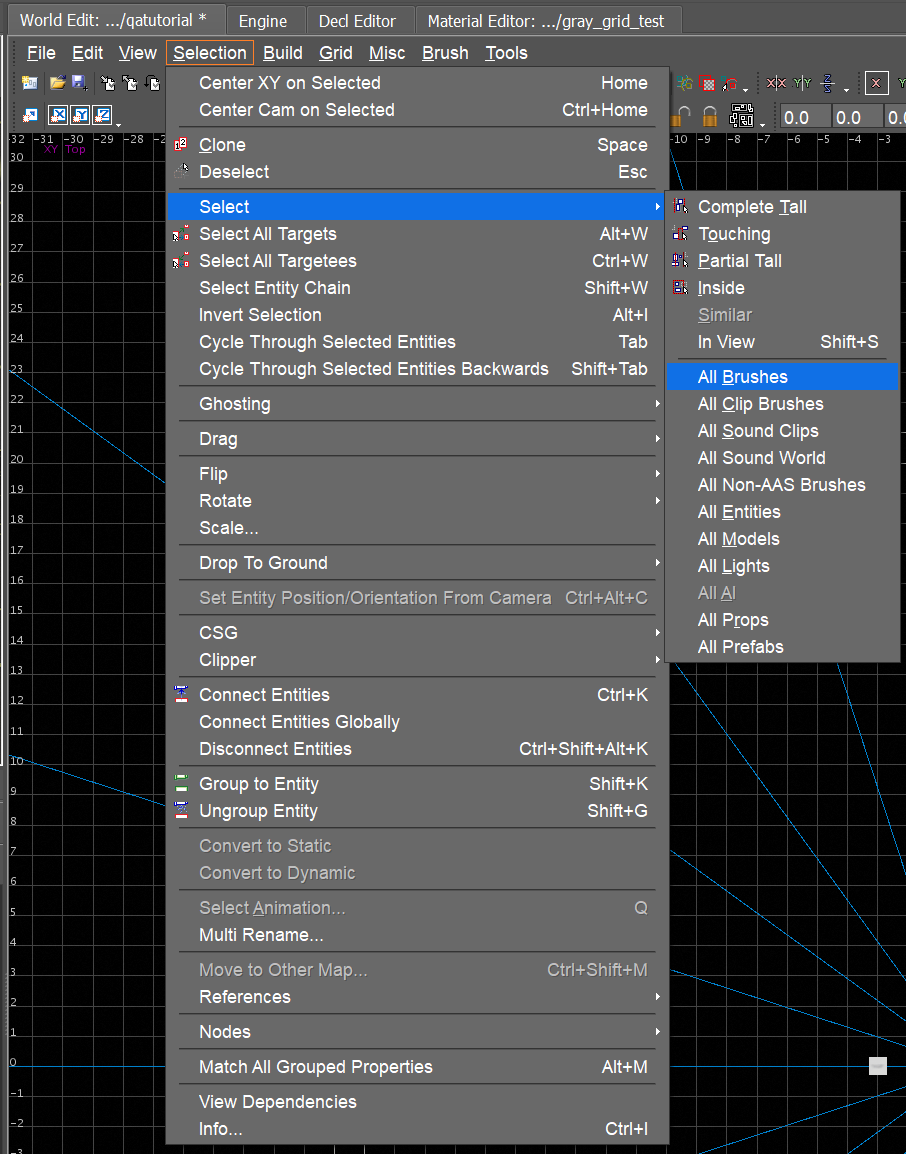
Select a Group of Entities Using the World Editor Menu
- In the World Editor, go to: Selection → Select → ((
entity)).infoThis doesn’t let you select a specific entity, but rather a group of entities by type.
Selection Troubleshooting
help
I know an entity exists but I can’t select it. What do I do?
To fix this:
- Take a look at the Map Manager. You may be using a refmap that doesn’t include the entity you’re trying to select. You can only select entities in your current refmap.
- The entity might be part of a group that is currently ghosted.
- To check this, open the Groups tool and look for any groups with the ghost symbol (:ghost:) toggled on.
- In the Entity Inspector, click the Selection dropdown and select the entity.