idStudio General Preferences
This page details the idStudio’s General Preference options. These preferences make changes to settings across the suite of idStudio editors and tools.
Access idStudio General Preferences by going to idStudio menu → Preferences → Settings tab and select idStudio in the sidebar menu.
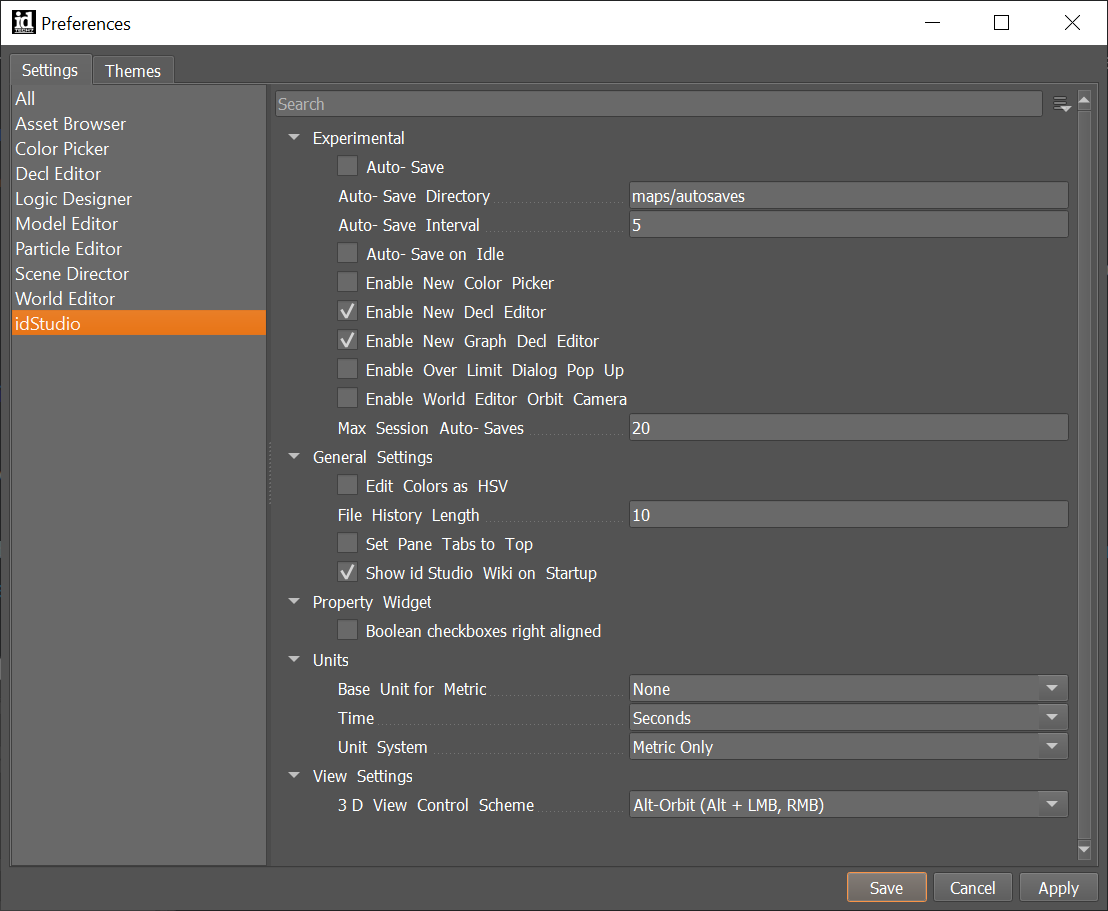
General Settings
| Setting | Description |
|---|
| Edit Colors as HSV | Select ( :ballot_box_with_check: ) to allow color editing as Hue, Saturation, Value. |
| Set Pane Tabs to Top | Select ( :ballot_box_with_check: ) for tabs to be at top of window (unchecked will place tabs at the bottom of the window). |
| Show idStudio Wiki on Startup | Select ( :ballot_box_with_check: ) to move all editor tabs to the top of panes. |
| Setting | Description |
|---|
| Boolean checkboxes right aligned | Select ( :ballot_box_with_check: ) to move checkboxes from left to right aligned. |
Units
| Setting | Description |
|---|
| Base unit for metric | Set base unit for metric measurement |
| Time | Set base unit of time |
| Unit system | Set units to metric or imperial |
View Settings
| Setting | Description |
|---|
| 3D View Control Scheme | Change the camera controls within the viewports like Preview and Static Model Editor. |