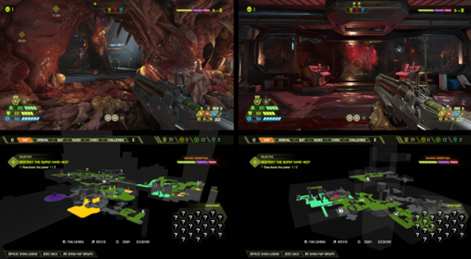
Automap basics
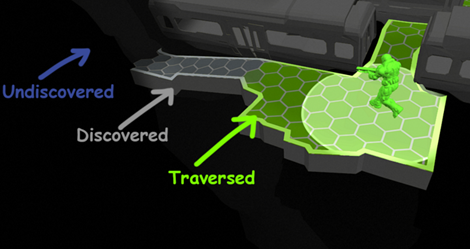
There are 3 types of "reveal states":
| State | Description |
|---|---|
| Undiscovered | the geo is covered by a fog of war effect |
| Discovered | the bigger radius around the player touches the geo, revealing it as gray |
| Traversed | the smaller radius around the player touches the geo, painting it green |
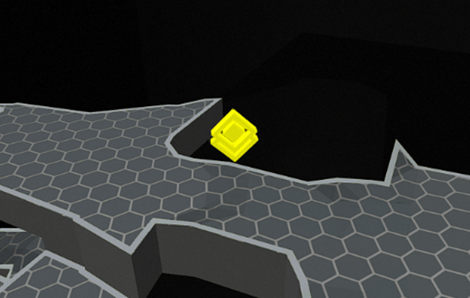
Objective markers
The current objective marker appears on the Automap.
Items
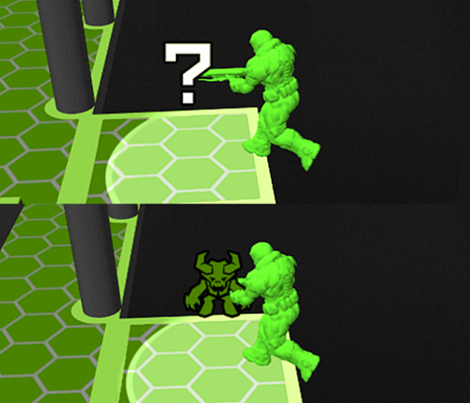
Collectables
| State | Description |
|---|---|
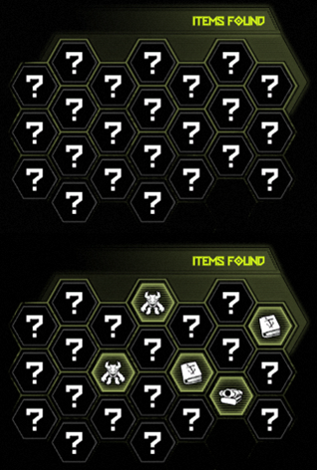
| Discovered | Shows as ? |
| Traversed (picked up) | Turns green -> Shows the specific collectable icon |
Non-collectable progression items
| State | Description |
|---|---|
| Discovered | Shows specific icon. |
| Traversed (picked up/interacted with) | Turns green |
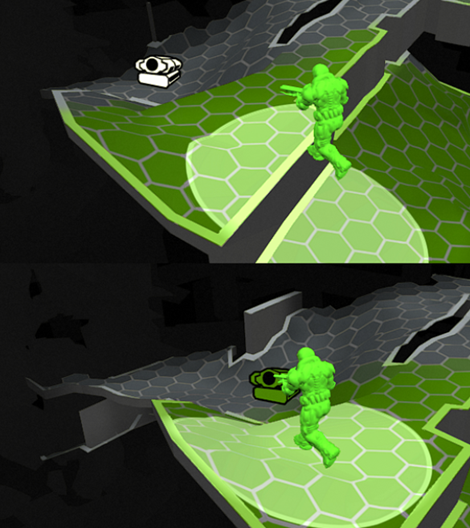
Crucible
| State | Description |
|---|---|
| Discovered | Shows specific icon. |
| Traversed (picked up/interacted with) | Turns green |
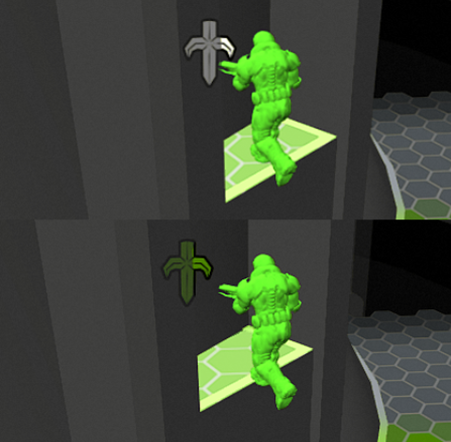
Extra lives
| State | Description |
|---|---|
| Discovered | Shows specific icon (with a unique shade of green). |
| Traversed (picked up/interacted with) | Turns green (normal green) |
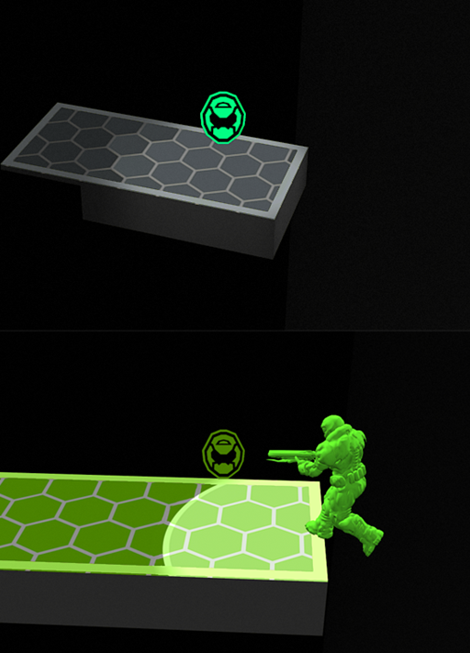
Automap station
| State | Description |
|---|---|
| Discovered | Shows specific icon. |
| Traversed (picked up/interacted with) | Turns green -> Interacting with the station instantly reveals all geos as "discovered" |
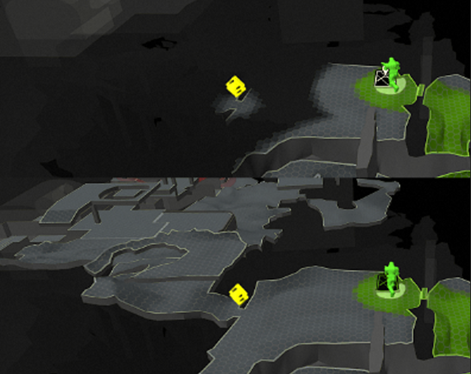
UI
The Items Found panel shows all items in the Sector as ?. When the player picks up/interacts with a Collectable/Non-Collectable Progression Item, it shows the specific item's icon and highlights the background.
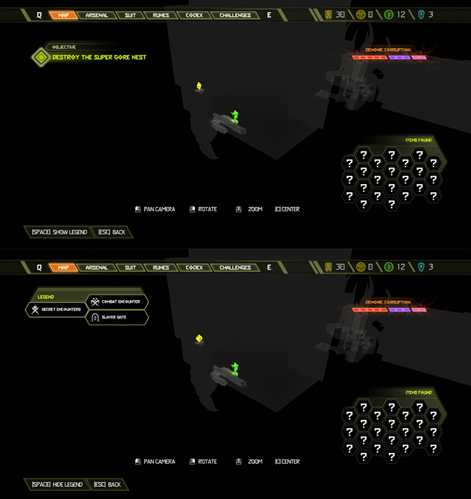
Players can press a button to hide/show the Legend
Fast travel
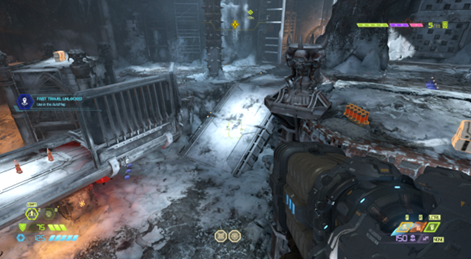
When the player completes a level, a notification appears on their HUD, alerting them that they unlocked Fast Travel.
On the Automap, the player can select a Fast Travel point and instantly travel there.
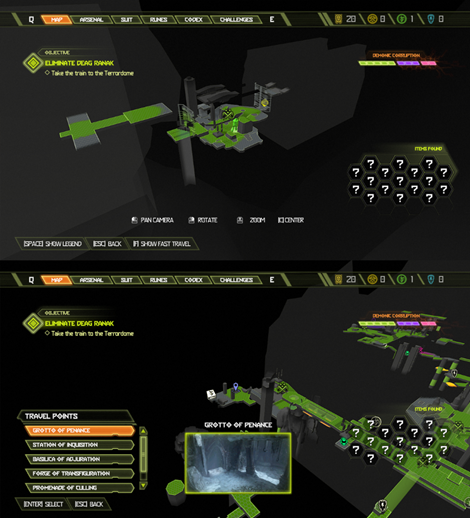
Automap Groups
Some levels are so large, we cut them up into multiple areas ("Automap Groups").When the player crosses from area to another with a different Automap Group, the Automap automatically switches to the new Automap Group.