Add A Reference Map
A reference map (refmap) is a feature in idStudio typically used to group related entities into one submap. This can be useful for organizing your level design and making it easier to manage. For example, a root map may contain all the level geometry and contain separate reference maps for AI traversals, encounters, lighting, sound, effects, item pickups, and so on.
Procedure
- With your map open in World Editor, go to Tools → Map Manager.
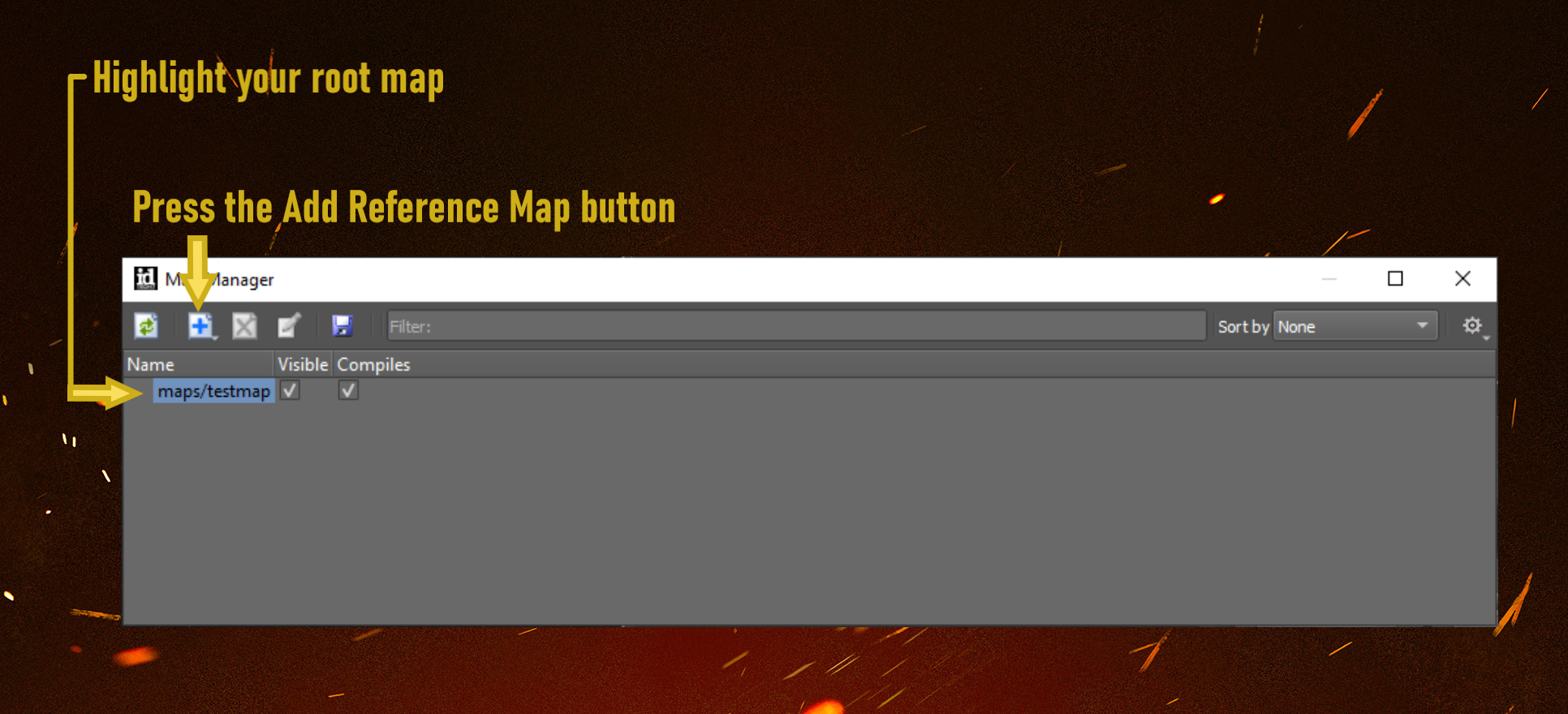
- Highlight your root map and press the Add Reference Map button.
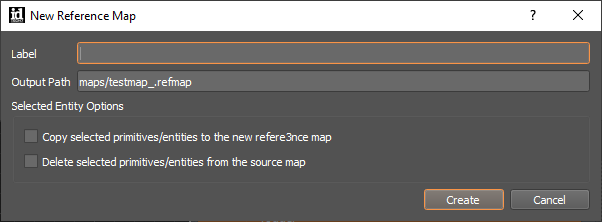
- Give the refmap a label.
You can also create a reference map from a selection of entities already included in the root map.
Before creating a new reference map, highlight the entities you’d like to include. Then create a new reference map and check the box to copy your selection(s) to the new reference map. (If desired, you can also delete the selected entities from the source map.)
4. Double click a reference map in the Map Manager to open it. You can now edit and save the reference map independently from the root map.