Placing Sound Effects in a Map
A quick guide to placing sound effects in a map.
Point Speakers
Point Speakers are 3D points in the game world from which audio can emit.
Place a Point Speaker
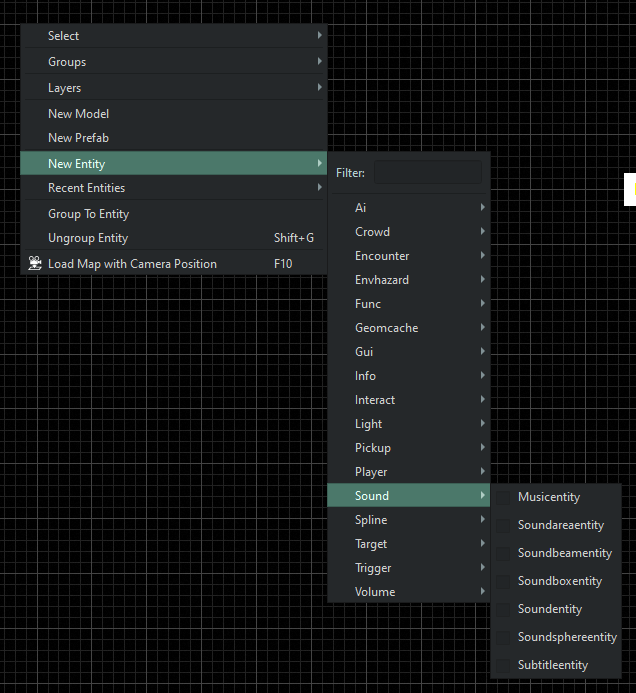
- With a map open in World Editor, Right Click → New Entity → Sound → Soundentity
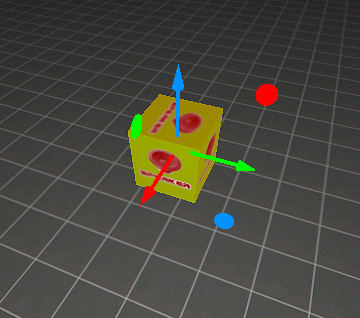
- Select the new sound entity and press the W key to bring up the position manipulation widget. Place the point speaker where you want the sound to play from.
- With the sound entity selected, open Entity Inspector. Add Start or Stop Events to the sound entity, or start the sound by default.

- In the Entity Inspector you can:
- Start When Spawned – turns the speaker on when the map is loaded.
- + button (next to Start/Stop Events) – allows you to connect a sound event.
- :arrow_forward: button – allows you to preview the selected sound event.
Beam Speakers
Beam Speakers are speakers that slide across a fixed axis.
- Useful for things like:
- Distant objects outside of the playable game area the we want to hear from multiple locations
- Walls of fire
- Waterfalls
- Electrical hazards
Place a Beam Speaker
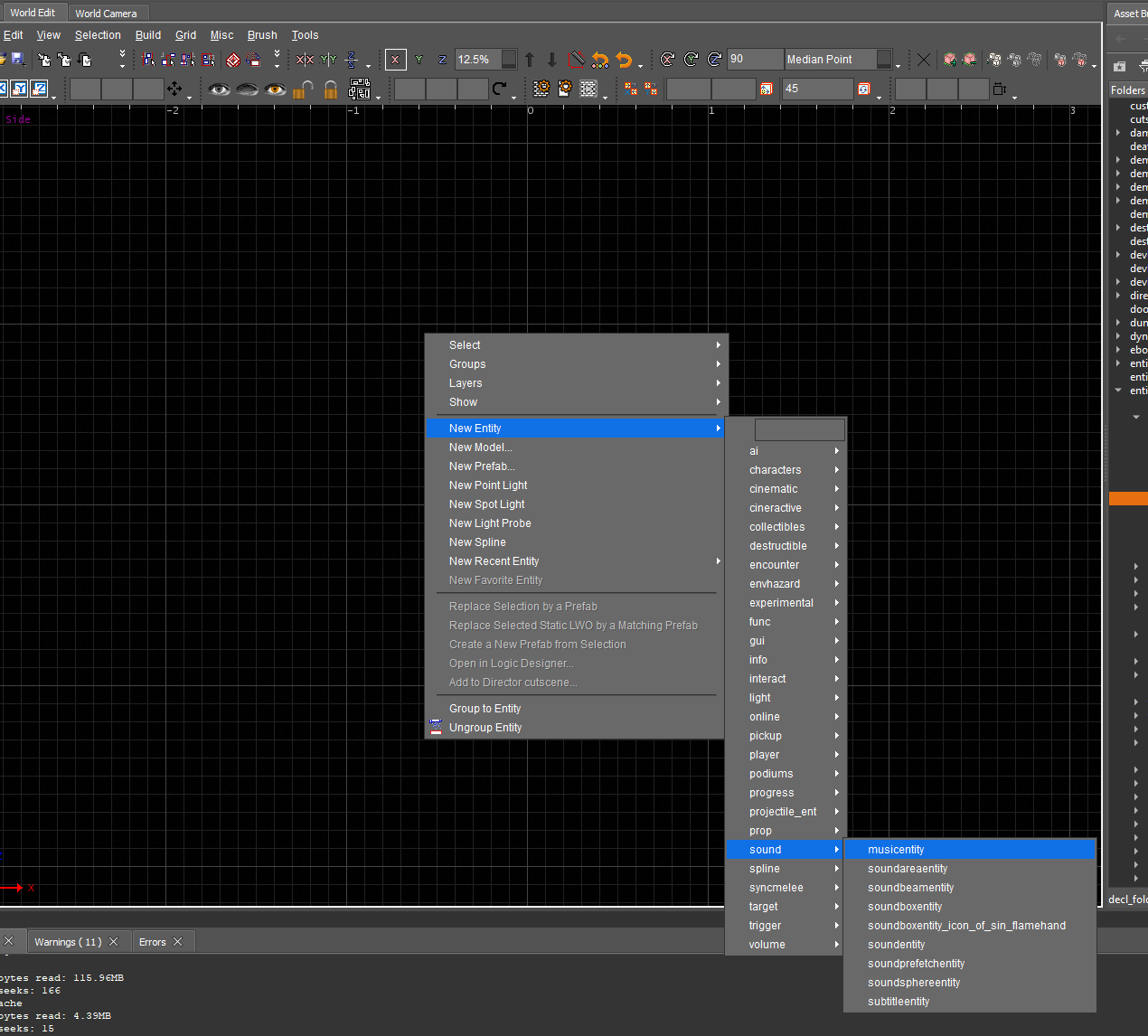
- With a map open in World Editor, Right-click → New Entity → Sound → Soundbeamentity
- Select the new sound beam entity and press the W key to bring up the position manipulation widget. Place the beam speaker on one end of the axis you wish to create.
- With the beam speaker selected, open Entity Inspector. Use the Offset value to set the opposing endpoint of the beam along its axis.

Offset values
info
In the reference image below:
- Green vertical line – the axis that the speaker is constrained to
- Pink square – axis endpoint
The speaker will always try to be as close to the player as possible along its axis.
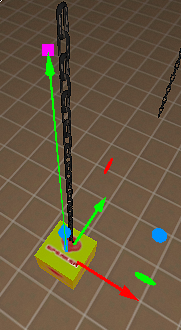
Speaker following an axis aligned with the chain
Box Speakers
Box Speakers are speakers that are confined to a predetermined “box” and can play anywhere within it.
- Useful for things like:
- Faking 2d sound beds by having a very long thin box above the players head
- Pools of water/gore
- Hazards
- Large scale ambiance
Place a Box Speaker
- With a map open in World Editor, Right-click → New Entity → Sound → Soundboxentity
- Select the new sound box entity and press the W key to bring up the position manipulation widget. Place the box speaker in the center of the zone you wish to create.
- With the beam speaker selected, open Entity Inspector. Use the Extents value to create the dimensions of the box.

info
In the reference image below:
- Orange lines - represent the dimensions of the box
The speaker will always attempt to be as close to the player as possible, within the confines of the box.
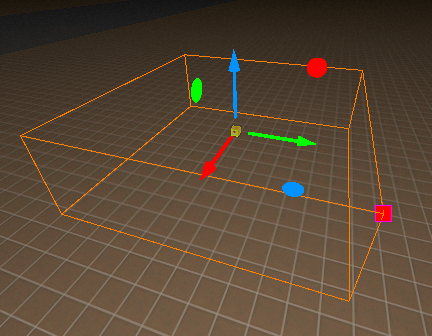
Speaker confined to a predetermined “box”