Static Model Editor
The Static Model Editor is the default tool used when editing an .LWO file (a static model) in the game. It's useful for quickly identifying the materials used on a model, and allows users to manipulate various properties of the model, which is useful for fine-tuning the look and behavior of the model in the game. The Static Model Editor can also be used to set up LOD (level of detail) for models, and create and edit destructibles (Havok physics objects).
Static Model Editor interface
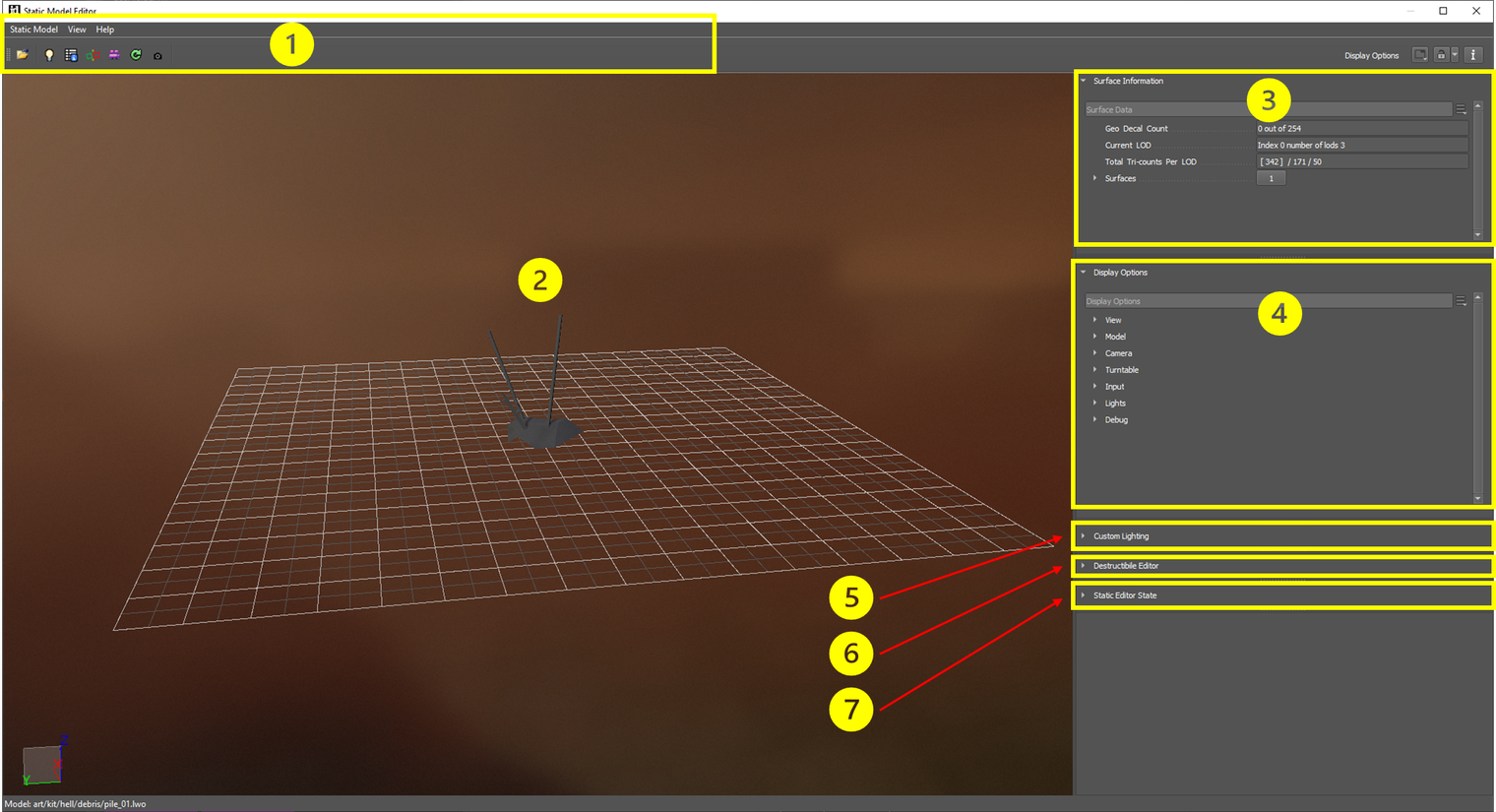
Toolbar
Standard buttons for open, copy, save, etc; additional buttons for screenshot and toggling destructible mode
Viewport
View the changes made to the static model live
Surface Information
Displays all of the surface information (materials, textures) related to the model; click these to manipulate individually
Display Options
Contains options for changing the viewport (environment, lighting, angle, etc.)
Custom Lighting
Allows the user to set up a custom light rig to be permanently attached to the model
Destructible Editor
View and edit the properties of destructible models
Static Editor State
Contains options for saving a custom Display state
Usage
The Static Model editor is typically used to:
- view/edit newly created models as they are imported into the editor
- create and load materials decls from models created in outside authoring tools
- view a static model under specific game-related circumstances to ensure it looks/behaves as expected
- add a custom lighting rig to the static model
- view/edit destructibles
Basic procedure
- Load a static model using the Open button in the toolbar
- Use the Surface Information section to select one or more materials on the model.
- Use the Display Options to manipulate the environment, lighting, and view angle of the model.