Animation Ghosting
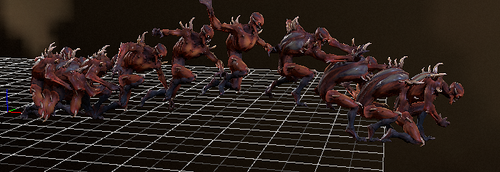
The Animated Model Editor supports an animation debugging feature called ghosting. When enabled, this feature will render several ghost models at a time-delayed interval in the editor. This can be useful for visualizing timing, trajectory of a particular movement, foot planting, interpolation artifacts, traversal alignment, etc.
Procedure
- Navigate to the Display Options in the Animated Model Editor.
- Expand the Animation options category and click Show Ghosts.
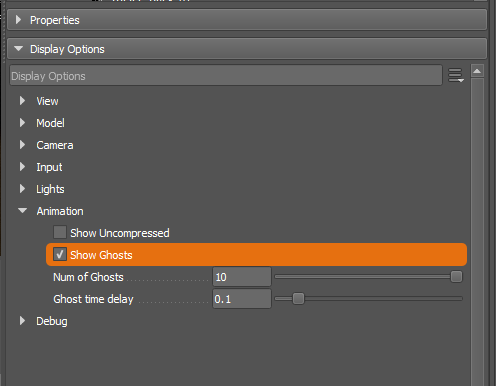
- You should now see several ghosts in the scene that 'follow' the main animated entity.
- You can change the time delay via the slider or by entering a value in the input box.

- You can change the max number of ghosts that will be shown in the scene.
