Atmospheric & Local Light Scattering
Atmospheric light scattering is an intricate process involving the interaction of light with various types of particles found within a planet's atmosphere.
As light travels through such media, different events transpire based on the properties of the media, including particle size, density, and other factors. A key aspect of this process is that smaller particles tend to have lower absorption rates and higher scattering probabilities (dependent on wavelength), while larger particles have a greater likelihood of absorbing light until it is either entirely absorbed or reaches our eyes.
Rayleigh Scattering and Mie Scattering
To approximate the phenomena described above, physics uses two methods: Rayleigh Scattering, which deals with the interaction of light with small particles, and Mie Scattering, which involves the interaction with larger particles. These methods form the foundation of our real-time approximations at the planetary level.
Rayleigh Scattering is responsible for the blue appearance of the sky to human eyes, and for the distinctive orange hue of sunsets (when the sun is at the horizon, light has to travel the greatest distance to reach our eyes, leading to the absorption of most of the blue light).
Mie Scattering, on the other hand, occurs due to larger and heavier particles like pollution and aerosols, and is typically more concentrated at lower altitudes.
Visual Examples
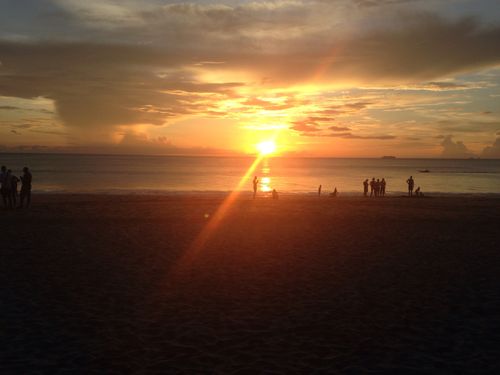
Typical sunset with orange gradient
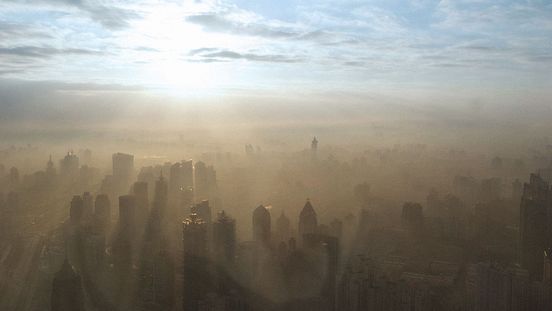
Heavy Mie scattering condition
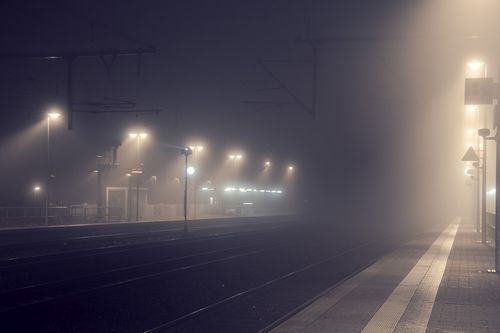
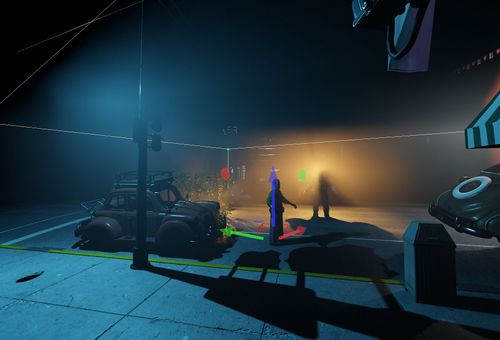
Foggy night - notice the light interaction
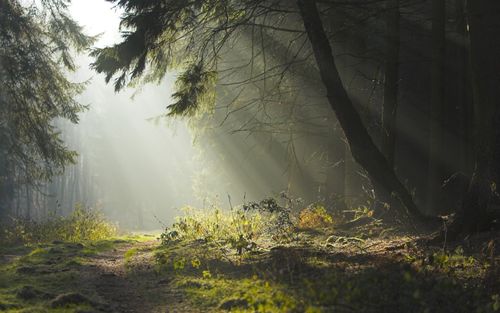
Foggy forest - notice the light occlusion
Realtime Approximation
id Tech makes certain approximations while ensuring adherence to the target frame rate.
Currently, it uses two approximations: one for large-scale outdoor/atmospheric light scattering, and another for local light scattering events.
Atmosphere Light Scattering Setup
Use the Environment Editor to set up light scattering (in the Sky Lighting property). The available settings are:
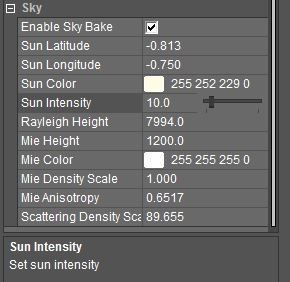
Local Light Scattering Setup
If using local light scattering in your project, make sure to set the CVar r_lightscattering to 1 in Engine.
- Place a light source in your map. Then select LIGHT_SCATTERING in the lightType property. (This allows you to set up how the light behaves inside this volume.)
- Adjust volume size and orientation of the light (as usual).
Additionally you can specify four properties of the lightScattering options:
- Density: Defines how dense the volume is.
- Higher = More dense/thick.
- Lower = Less dense.
- Density Height: TBD.
- Density Variation Min and Max: Defines curve thresholds that are applied on the density variation (the density variation is something similar to perlin noise) upon which:
- Min = Any noise value below this will go towards black (
0). - Max = Any noise value above this will go towards white (
1).
- Min = Any noise value below this will go towards black (
- Color: Set up the volume color, which sets the absorption ratio per wavelength for the volume.
Examples
Density of 1
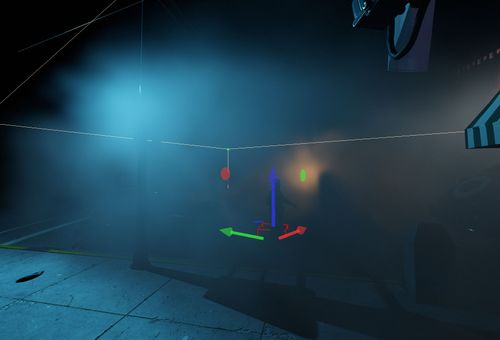
Density of 0.01
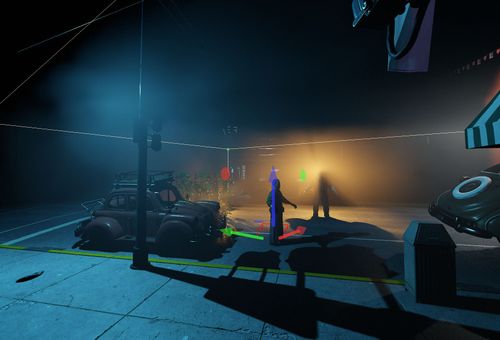
Density Variation Min of 0.4
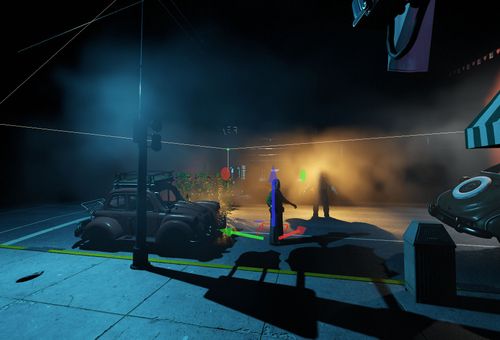
Density Variation Min of 0
Default, Min 0, Max 1
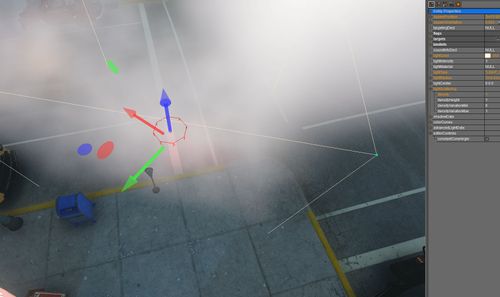
(default whatever comes from perlin noise variation)
Min 0, Max 0
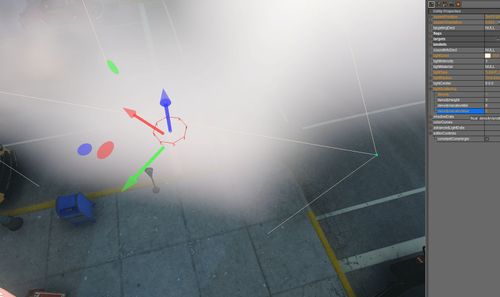
(any noise value above max goes toward white)
Min 0.5, Max 1.0f
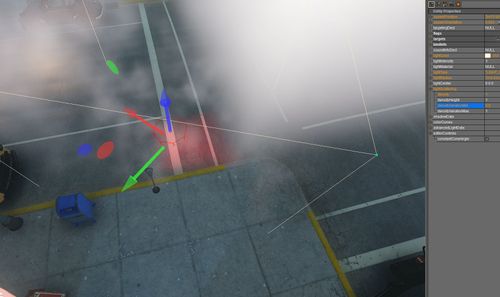
(any noise value below min will go toward black)
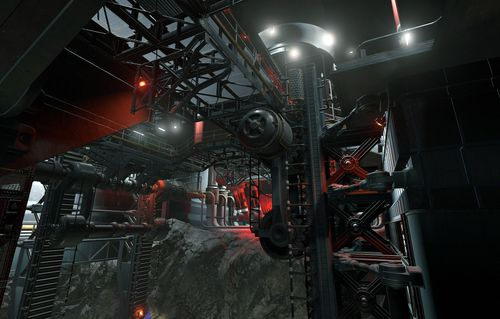
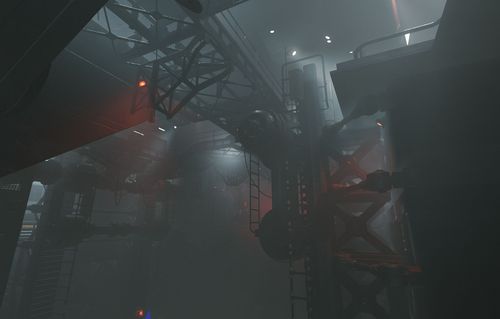
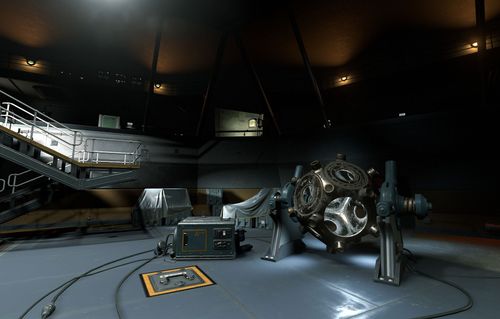
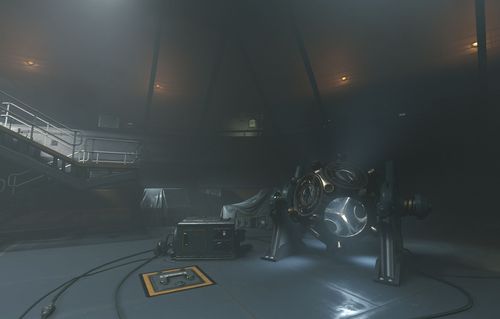
Side by Side Examples (Off/On)
Notes
- There is a hard limit in light scattering volumes – be mindful of your usage.
- This technique is limited by the volume resolution and performance. Depending on usage, aliasing on this approximation might be more noticeable.
- To mitigate aliasing, try to avoid:
- Thin volumes
- Thin and bright light projector sources
- Very dense volume
- High density variation